Home
Many machines. One AI.
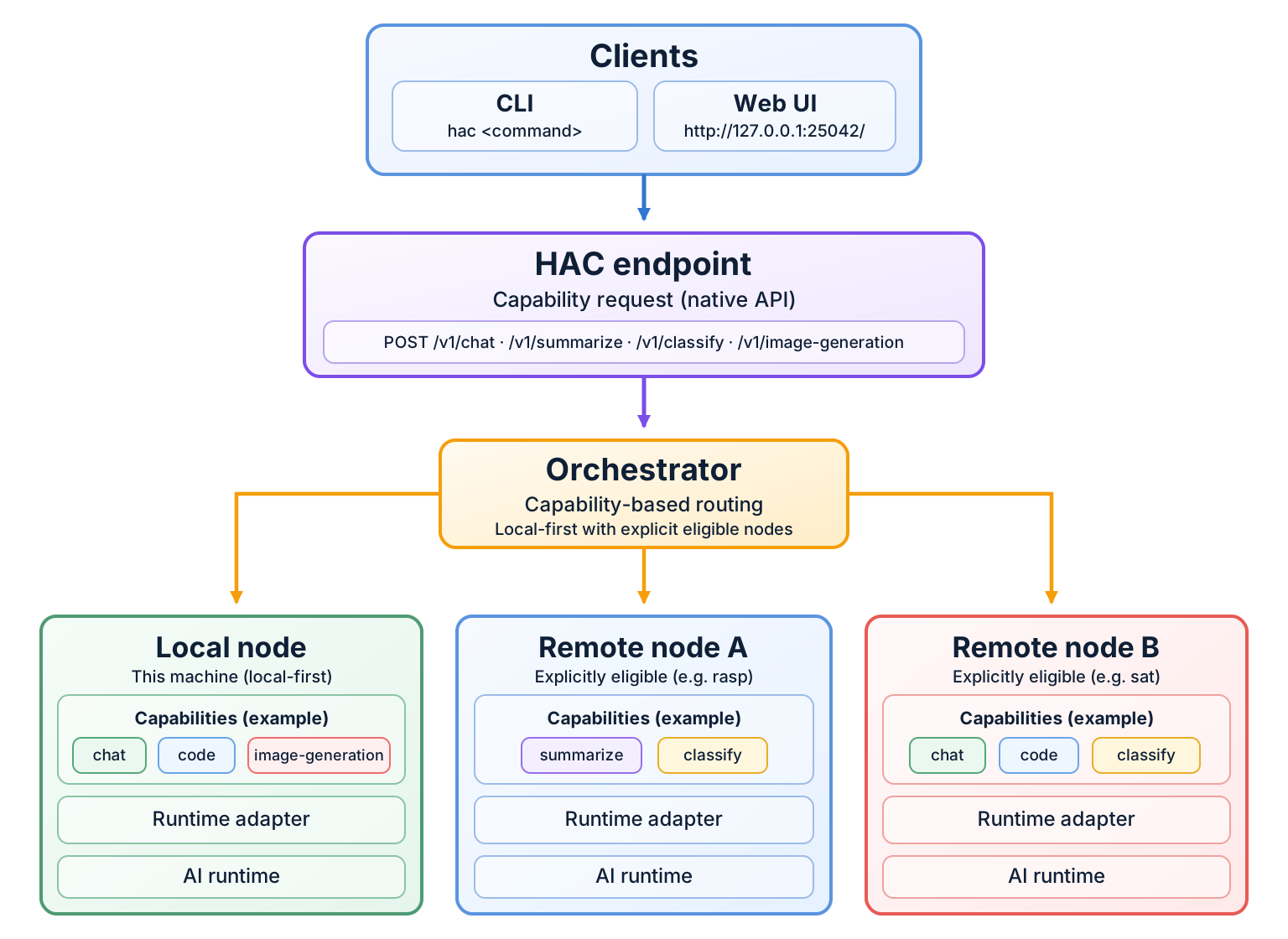
Home AI Cluster is a local-first orchestration layer for personal AI runtimes. It lets ordinary requests target capabilities instead of runtime brands or machines, while keeping topology explicit and runtime ownership with the operator.
Local first
Home AI Cluster is designed around local machines and local runtimes. Ordinary operation does not require a cloud control plane, automatic discovery, or a hosted orchestration service.
Private by default
Requests stay within the operator-owned local or explicitly declared topology unless the operator deliberately uses a bounded external-information caller edge.
Runtime independent
The architecture is capability-centered rather than tied to one model or inference engine. Runtime adapters remain replaceable, and ordinary users ask for capabilities such as Chat, Code, Image Generation, Summarize, or Classify rather than selecting a runtime brand. Image Generation requires its own explicit configured binding or companion.
Start small
The shortest useful path is one machine, one local runtime, and one Home AI Cluster process:
uv tool install home-ai-cluster
hac local
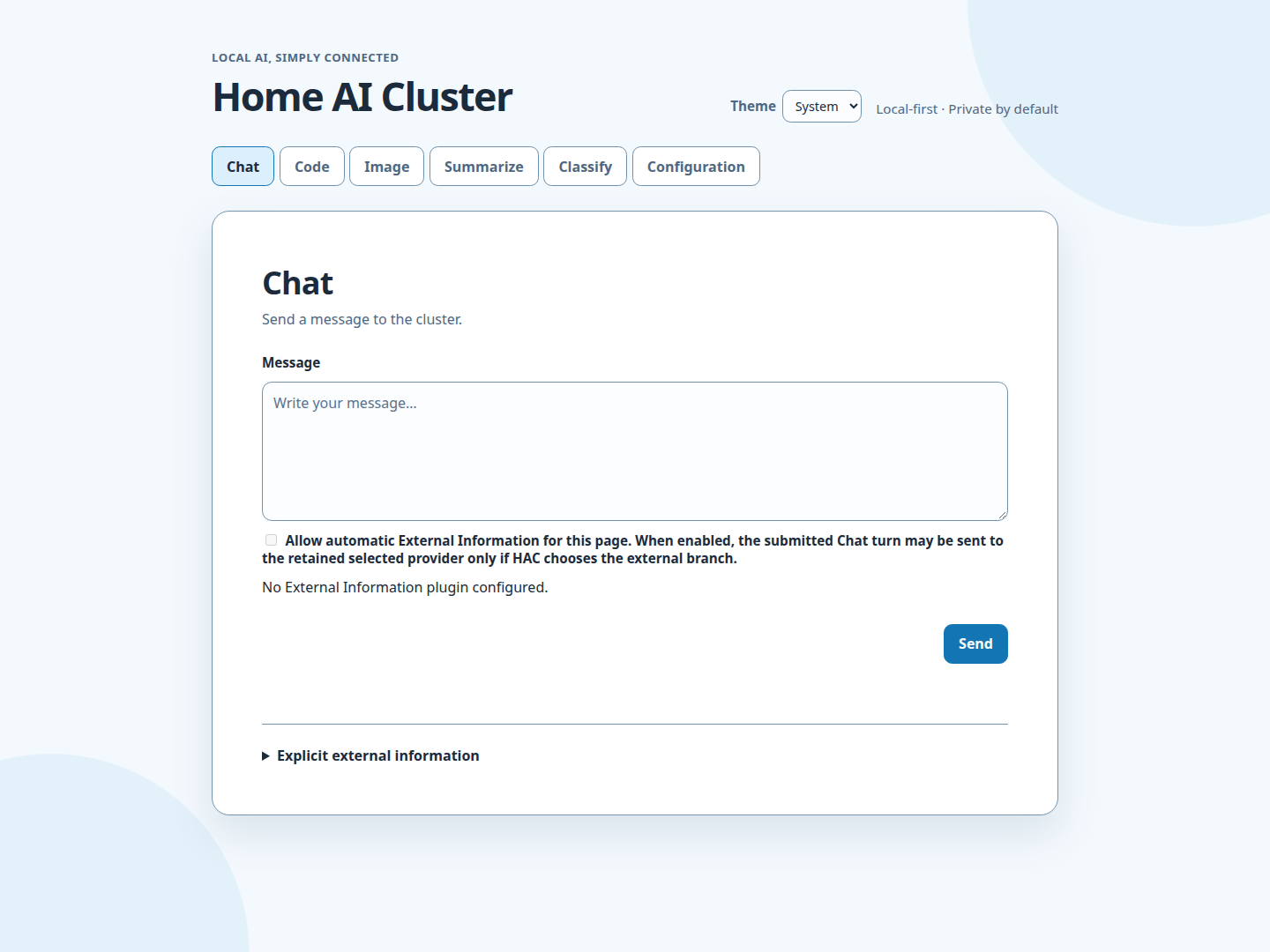
Then open the fixed loopback browser at http://127.0.0.1:25042/ on the same
machine. Its navigation is Chat, Code, Image, Summarize, Classify, and
Configuration. Or send a request from another terminal:
hac chat "Hello"
See the Getting Started guide for the complete first-use path.
An operator may also explicitly expose the bounded capability-only browser to
a trusted LAN with --lan-browser-host <LAN_IP>; loopback remains the default.
See Getting Started and the
Command Reference for details.
Grow only when useful
A second machine is optional. When needed, Home AI Cluster can use an explicit static local-plus-remote topology while preserving local-first, capability-centered routing and operator-owned runtime lifecycle.
For exact behavior, use the Command Reference. For the canonical operational sequence, use the Operator Workflow.